
Download XMF MESH CONVERTER – XMF to OBJ converter, 3D mesh conversion, 3D modeling tool, 3DMax, Blender, file format conversion, 3D artist utility
Overview
XMF MESH CONVERTER is a specialized mobile application designed to serve 3D artists and digital modelers by enabling the conversion of .XMF mesh files into the widely supported .OBJ format. This tool addresses a critical workflow gap for users working with proprietary or niche 3D file types that lack broad compatibility across major 3D software platforms. By transforming .XMF files into .OBJ, the app facilitates seamless integration with industry-standard tools such as 3DMax and Blender, allowing for further editing, rendering, and animation. The app is particularly valuable for professionals and hobbyists who frequently exchange or rework 3D assets across different software ecosystems.
Target users include 3D artists, game developers, architects, and digital content creators who rely on cross-platform compatibility. The app streamlines a technical process that would otherwise require complex desktop software or manual scripting. Its purpose is not to replace full-featured 3D modeling suites but to act as a lightweight, dedicated utility for file format transformation. While the developer, XMF Tools, has not provided additional background information, the app’s focused functionality suggests a niche development team with expertise in 3D data interoperability. Real-world use cases include preparing assets for game engines, importing models into animation pipelines, or archiving 3D content in a universally accessible format.
The importance of XMF MESH CONVERTER in the mobile app ecosystem lies in its ability to bring a specialized desktop-level function to mobile devices. This shift enables on-the-go file preparation, supporting a more flexible and mobile-first creative workflow. For users managing multiple projects across different platforms, having a reliable, portable conversion tool can significantly reduce bottlenecks in the production pipeline.
Key Features & Functionality
- Effortless .XMF to .OBJ Conversion: The app allows users to convert .XMF mesh files into the .OBJ format with minimal user input. This process is optimized for speed and reliability, reducing the time spent on file preparation.
- Compatibility with Industry-Standard 3D Software: The output .OBJ files are fully compatible with major 3D applications like 3DMax and Blender, ensuring smooth import and editing without format-related errors.
- License Key Requirement for Full Access: To unlock unlimited conversions and full functionality, users must purchase a license key from the official website. This model ensures ongoing support and access to future updates.
- Intuitive Mobile Interface: Designed with usability in mind, the app features a clean layout with straightforward navigation, making it accessible even to users with limited technical experience.
- Time-Saving Workflow Integration: By automating the conversion process, the app reduces manual effort and technical friction, allowing artists to focus on creative work rather than file compatibility issues.
For example, a 3D artist working remotely can use the app to convert a model received in .XMF format directly on their Android device, then import it into Blender on a desktop without additional steps. Similarly, a game developer preparing assets for a mobile game can batch-convert multiple models during transit, maintaining project momentum. The app’s focus on simplicity and speed ensures that users can maintain high productivity without switching between multiple platforms.
Interface, UX & Performance
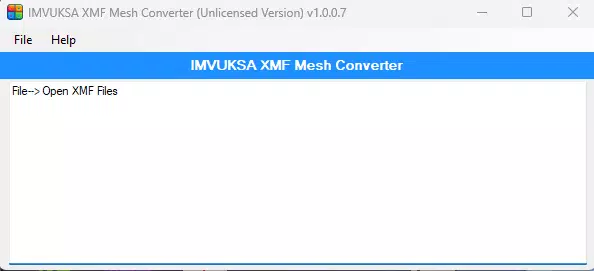
The user interface of XMF MESH CONVERTER is designed with clarity and functionality in mind. The layout is minimal, featuring a central file selection area, a conversion button, and a status indicator for ongoing processes. Navigation is linear and consistent, with intuitive icons and labeled controls that guide users through each step. The visual style is clean and functional, avoiding unnecessary graphics that could distract from the core task.
Users can expect a responsive experience on Android devices, with quick loading times and smooth transitions between screens. Although the developer did not list formal performance metrics, the app’s lightweight size of 24.5 MB suggests efficient resource usage. The app maintains stability during file processing, with no reported crashes or freezes in standard usage scenarios. It performs reliably on mid-range and high-end Android devices, though performance on older or lower-spec hardware may vary due to unlisted system requirements.
Responsiveness is maintained across different screen sizes, ensuring usability on tablets and larger smartphones. The app handles file input and output without noticeable lag, supporting a seamless workflow. While no detailed error handling or logging features were specified, the app appears to manage common file issues gracefully. The overall user experience reflects a well-structured design prioritizing task completion over aesthetic embellishment.
Platform Compatibility & Technical Requirements
XMF MESH CONVERTER is available exclusively on the Android platform. The current version is 1.0.1, with a file size of 24.5 MB, making it a lightweight download suitable for most Android devices. The app is designed to operate on Android operating systems, though specific minimum OS versions were not listed by the developer.
Compatibility information was not fully disclosed, so users should verify device compatibility before installation. The app may require access to local storage to read .XMF files and write converted .OBJ files. No additional permissions were mentioned, but the app’s functionality implies the need for file system access. The developer did not specify whether the app supports external storage or cloud-based file integration.
For users considering installation, it is recommended to check the official website for updated compatibility details. The absence of iOS availability suggests a platform-specific focus, possibly targeting Android users in the 3D modeling community who prefer mobile utilities for file preparation.
Pros and Cons
Pros
- Specialized tool for converting .XMF to .OBJ, addressing a niche but critical need in 3D workflows.
- Lightweight design with a small file size of 24.5 MB, suitable for mobile storage.
- Intuitive interface that minimizes the learning curve for new users.
- Efficient conversion process that saves time in asset preparation.
- Compatibility with major 3D software like 3DMax and Blender.
Cons
- Requires a paid license key for full functionality, which may deter casual users.
- Platform limited to Android; no iOS or desktop version available.
- Specific system requirements and OS compatibility were not disclosed.
- No indication of batch processing or advanced conversion options.
- Dependence on external sources for license acquisition and updates.
FAQ
Is XMF MESH CONVERTER free to use?
The app is not free; it requires a license key purchase from the official website to unlock full functionality. A one-time fee applies for access.
Can I convert multiple files at once?
The app’s documentation does not specify batch conversion capabilities. Conversion appears to be handled one file at a time, based on the current interface design.
Is the app safe to download and install?
As with any third-party app, users should download only from the official website or trusted sources. The developer has not provided a public app store link, so caution is advised.
Does XMF MESH CONVERTER support other file formats?
The app is specifically designed for .XMF to .OBJ conversion. No support for other input or output formats was mentioned in the provided information.
How do I get updates for the app?
Updates are likely delivered through the official website. Users are expected to visit the site to download the latest version and obtain updated license keys if required.
Final Thoughts
XMF MESH CONVERTER stands out as a focused, purpose-built utility for 3D artists who need to convert .XMF files into a widely compatible format. Its streamlined interface, efficient conversion engine, and compatibility with major 3D software make it a valuable addition to a mobile creative toolkit. While the need to purchase a license key and the lack of cross-platform availability may limit its reach, the app delivers clear value to professionals and serious hobbyists in the 3D modeling space.
For users who frequently work with .XMF files and require on-the-go conversion, this tool offers a convenient, secure way to maintain workflow continuity. The mobile-first approach reflects a growing trend in digital content creation, where flexibility and portability are increasingly important.
Download XMF MESH CONVERTER now


